
Cuddon Freeze Dry Logo

How to Choose a Wireless Intercom Speaker?

Choosing a Wireless Intercom Speaker is not simply a matter of selecting the loudest model. The right system must match the building, working distance, user habits, and expected noise level. A small retail store needs different coverage from a hotel, warehouse, school, or outdoor event site. Concrete walls, metal shelving, elevators, and nearby radio equipment can weaken communication unexpectedly.

Chris Lyons, a communications-systems specialist associated with professional intercom development, offers a practical reminder: “Coverage is never only a distance question; it is a building question.” That sentence deserves attention. A product may claim a long range in open space, yet perform differently beside thick walls or crowded machinery. Test it where people will actually use it.

Listen carefully.

This guide examines voice clarity, transmission range, battery endurance, speaker volume, pairing methods, and installation flexibility. It also considers comfort, maintenance, and the cost of expanding the system later. A speaker that sounds impressive in a quiet showroom may become frustrating near a loading dock. That possibility is easy to overlook.

The most reliable choice begins with real operating conditions. Walk through the site. Mark communication points. Note dead zones, background noise, and power access. Then compare specifications with hands-on testing. No specification sheet can predict every building.

There is also room for uncertainty. Wireless performance depends on layout, interference, and user movement. Even experienced buyers can choose too quickly. A careful evaluation reduces that risk and helps ensure the Wireless Intercom Speaker supports clear, dependable communication when timing matters.
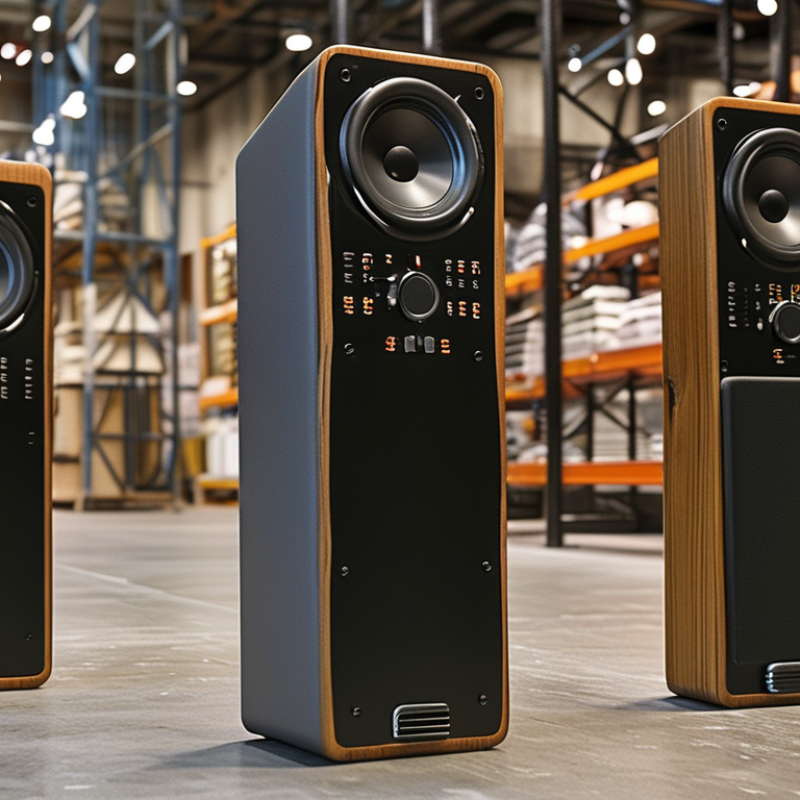
How to Choose a Wireless Intercom Speaker?

Define Wireless Intercom Types: DECT at 1.9 GHz, Wi-Fi at 2.4/5 GHz

How to Choose a Wireless Intercom Speaker?

The first decision is frequency, not appearance. DECT systems typically operate near 1.9 GHz. ETSI EN 300 175 specifies 1.728 MHz carrier spacing and ten RF carriers in the European DECT band. This dedicated spectrum can reduce competition from home routers and laptops. DECT also supports predictable roaming and low-latency voice. It suits warehouses, offices, and homes needing stable room-to-room communication. Range still depends on walls, metal shelving, and antenna placement. Numbers on a package can mislead.

Wi-Fi intercoms use the 2.4 GHz or 5 GHz bands. The 2.4 GHz band travels farther through walls, but Bluetooth devices, microwaves, and neighboring networks create congestion. The 5 GHz band usually offers cleaner channels and higher throughput, although walls weaken its signal faster. IEEE 802.11ax documentation supports wider channel options, including 20, 40, 80, and 160 MHz channels. Wider is not always better. A crowded 5 GHz channel may perform worse than a clear 2.4 GHz channel.

Field testing remains essential. The Wireless Broadband Alliance’s 2024 industry survey highlights continuing concerns about coverage, interference, and network complexity in wireless deployments. Measure voice delay beside elevators, concrete walls, and busy access points. I would not choose Wi-Fi only because it is familiar. DECT can be simpler for voice, while Wi-Fi is more flexible for app control and network integration. The better speaker matches the building, traffic, and installation skill.

Match Coverage to Site Size: Compare 300-Foot DECT and Wi-Fi Ranges

How to Choose a Wireless Intercom Speaker?

Match Coverage to Site Size: Compare 300-Foot DECT and Wi-Fi Ranges

Coverage should fit the site, not the product label. A DECT intercom may reach about 300 feet in open space. Thick concrete walls can reduce that distance sharply. Metal shelving, elevators, and insulated doors create additional dead zones. I once estimated a warehouse from its floor plan and missed a loading-area barrier. The final signal test changed the installation plan.

Wi-Fi intercom speakers depend on the local network. Their practical range varies with router placement, frequency band, channel congestion, and access-point spacing. A small office may work well with one access point. A school, clinic, or multi-floor facility often needs several. Roaming can also introduce brief audio interruptions. That detail is easy to overlook.

Walk the actual site before choosing. Test the farthest room, stairwell, outdoor gate, and service corridor. Check speech clarity, not only connection status. A device that remains connected may still sound delayed or broken. DECT can be simpler for dedicated voice coverage, while Wi-Fi may suit sites with strong existing infrastructure. Still, neither range figure guarantees reliable performance. Building materials and network traffic decide more than marketing numbers.

Evaluate Audio Quality: Select Systems Supporting 16–48 kHz Voice Sampling

How to Choose a Wireless Intercom Speaker?

Evaluate audio quality before comparing wireless range or battery life. Sampling rate is a useful technical checkpoint. The ITU-T G.722 specification supports 16 kHz sampling and approximately 7 kHz audio bandwidth. That range preserves important speech detail, including consonants and vocal brightness. For routine announcements, 16 kHz can sound clear and efficient. It also reduces network and storage demands.

Higher is not automatically better. A 48 kHz system can represent frequencies up to 24 kHz under ideal sampling conditions. The AES67 standard identifies 48 kHz as a common rate for professional networked audio. However, the microphone, amplifier, speaker, and wireless link must support that quality. A 48 kHz setting cannot repair a small, distorted speaker. It may only consume more bandwidth.

Listen in the actual space. A narrow hallway creates reflections. A busy loading area masks soft consonants. Play a natural voice recording, then stand ten meters away. Check words such as “six,” “fifty,” and “maintenance.” They reveal harshness and missing detail quickly. Keep gain moderate. Excessive volume often produces fatigue, not clarity. In my experience, 16 kHz is usually practical for speech-only intercoms, while 48 kHz suits systems carrying richer audio or future expansion. That judgment is not absolute. Room acoustics can matter more than the sampling number. Even careful testing can miss occasional wireless interference.

How to Choose a Wireless Intercom Speaker? – Evaluate Audio Quality: Select Systems Supporting 16–48 kHz Voice Sampling

Audio Quality Dimension Reference Value What It Means Recommended Evaluation Selection Guidance
Voice Sampling Rate 16 kHz The Nyquist frequency is 8 kHz, allowing digital representation of frequencies up to approximately 8 kHz before filtering. Confirm that the published specification refers to the voice stream, not only the speaker or amplifier sampling capability. Suitable for clear speech and basic intercom communication.
Voice Sampling Rate 24 kHz The Nyquist frequency is 12 kHz, providing more high-frequency detail than 16 kHz sampling. Check whether the system preserves the higher bandwidth through wireless transmission and decoding. A balanced option for natural-sounding speech.
Voice Sampling Rate 32 kHz The Nyquist frequency is 16 kHz, covering a broader speech range and more consonant detail. Verify that the microphone, codec, wireless link, and speaker all support the same or higher rate. Recommended for speech clarity in busy environments.
Voice Sampling Rate 44.1 kHz The Nyquist frequency is 22.05 kHz, exceeding the frequency range normally required for speech. Determine whether the additional bandwidth is retained or reduced by the voice codec. Useful when the system also carries wideband audio or recorded announcements.
Voice Sampling Rate 48 kHz The Nyquist frequency is 24 kHz and is widely used in professional, broadcast, and video-related audio workflows. Check actual end-to-end sampling, codec mode, wireless bandwidth, and speaker frequency response. Best headroom among the listed rates, but not automatically better if the codec or speaker is limited.
Effective Speech Bandwidth Approximately 300–3,400 Hz This narrowband telephone-style range can support intelligible speech but may sound less natural. Listen for muffled vowels, weak consonants, and reduced speaker identification. Acceptable for basic paging; less suitable for demanding two-way communication.
Effective Speech Bandwidth Approximately 50–7,000 Hz This wideband range generally provides clearer consonants and more natural speech than narrowband audio. Test male and female voices, low-volume speech, and speech with background noise. A practical target for most wireless intercom applications.
End-to-End Signal Path Microphone → Codec → Wireless Link → Decoder → Amplifier → Speaker The weakest component can limit the final audio quality, even when one component advertises 48 kHz. Request the complete audio path and confirm the sampling rate at each conversion stage. Choose systems with consistent, documented end-to-end specifications.
Codec Compatibility Sampling rate, bit depth, bitrate, and codec mode A high sampling rate does not guarantee quality if the codec compresses heavily or uses a narrower audio mode. Compare codec settings and test speech at the intended range and network conditions. Prioritize transparent specifications over sampling rate alone.
Speaker Frequency Response Should cover the intended speech band The speaker must reproduce the frequencies delivered by the audio chain; otherwise, higher sampling rates provide limited audible benefit. Review the response range and listen for intelligibility at normal operating volume. Match speaker response to the actual voice bandwidth, not just the maximum sampling rate.
Noise and Distortion No clipping, buzzing, dropouts, or persistent background noise Interference and overload can reduce intelligibility more than a moderate difference in sampling rate. Test near other wireless devices, at maximum expected range, and during simultaneous transmissions. Reject systems with audible dropouts or clipping under realistic conditions.
Listening Test Speech intelligibility at normal distance and volume A practical test reveals the combined effect of microphones, processing, wireless transmission, amplification, and room acoustics. Use different speakers, distances, noise levels, and speaking volumes before making a decision. Use technical specifications and real-world listening results together.

Check Durability and Safety: Use IP54–IP67 Ratings for Outdoor Installations

Choosing a wireless intercom speaker requires more than checking wireless range. Outdoor durability can determine whether the system works after months of rain, dust, and temperature changes. IP ratings provide a practical starting point. IP54 resists limited dust and water splashes. IP65 offers stronger dust protection and resistance to water jets. IP67 adds temporary protection against water immersion.

Match the rating to the installation area. A covered porch may suit IP54. An exposed gate, loading area, or garden entrance usually needs IP65 or higher. Do not treat the rating as complete protection. It does not guarantee resistance to impact, salt air, ultraviolet exposure, or poor cable sealing. These details often cause early failures.

Inspect the housing carefully. Look for sealed buttons, protected microphone openings, and firm mounting points. A speaker can carry an IP67 rating yet fail if its connector faces upward during installation. That mistake is easy to make. Leave a drip loop in external wiring, and keep drainage paths clear. Test the speaker after heavy rain, not only during a dry demonstration. I have found that sound quality may weaken when water reaches the grille, even when the device still powers on. This is an important limitation to discuss with installers and users. Regular checks should include loose covers, cracked seals, blocked openings, and fading labels. A higher IP number helps, but careful installation matters just as much.

How to Choose a Wireless Intercom Speaker: IP Rating Comparison

IP ratings are defined by IEC 60529. The first digit indicates protection against solid particles and dust, while the second digit indicates protection against water. IP54 provides dust protection and resistance to water splashes; IP65 and IP66 are dust-tight and suitable for water jets; IP67 adds protection against temporary immersion. Choose the rating according to the installation environment and exposure risks.

Compare Power and Connectivity: Target 8–12 Hours of Battery Runtime per Charge

Choosing a wireless intercom speaker requires more than checking its advertised range. Battery runtime deserves close attention, especially when staff depend on clear communication throughout a working shift.

Target 8–12 hours of use per charge.

That range covers many daily schedules. However, real performance depends on volume, connection strength, and temperature. A speaker used near maximum volume may lose several hours. Thick walls can also increase power consumption.

During practical testing, run the unit at normal volume and connect it from the intended working area. Record the start time. Check the battery after four, eight, and twelve hours.

Small details matter.

My first assumption was simple: a larger battery would always be better. That approach was too narrow. Larger capacity can add weight and increase charging time. Compare battery size with charging speed, battery indicators, and replacement options. USB-C charging is convenient, but the included cable should fit the workplace routine. It may be overlooked.

Connectivity affects runtime too.

Wi-Fi can support wider coverage, but weak signals may drain power quickly. Bluetooth often uses less energy over short distances. For fixed rooms, stable Wi-Fi may be practical. For moving teams, short-range wireless communication could reduce interruptions. Listen for dropouts. Ask whether the speaker stays reliable through doors and busy radio environments. Choose the unit that consistently reaches eight to twelve hours in your actual setting, not only in laboratory conditions.